

How to Create a Bootable DOS USB Drive
1: To open Command Prompt , click on Start > All Programs > Accessories > Command Prompt

2 : run as administrator
3: Now we need to copy the Windows 7 Installation files to the USB Stick.
Type xcopy d:\*.* /s/e/f v:where d is the drive letter of the DVD drive that holds the Windows 7 DVD, or the Drive letter of the path that you are saving in it the ISO file of Windows 7, and v is the drive letter that you assigned to the external USB Stick in the previous step.
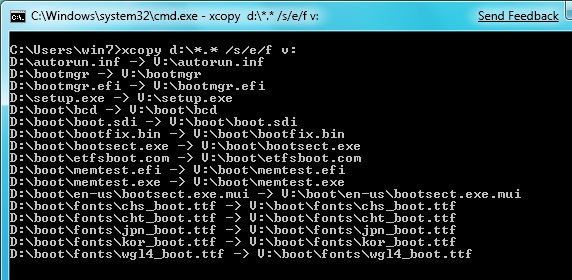
4: then press enter


